Know who to call while the client is still yours.
When trail on a loan drops or stops, VALUTTEN shows you the client, the lender, the broker and the monthly amount at stake.
The loans that need a call sit at the top.
Who To Call opens on your dashboard. Loans whose trail went to zero come first, then clients with no trail for two months or more, each with the monthly trail involved.
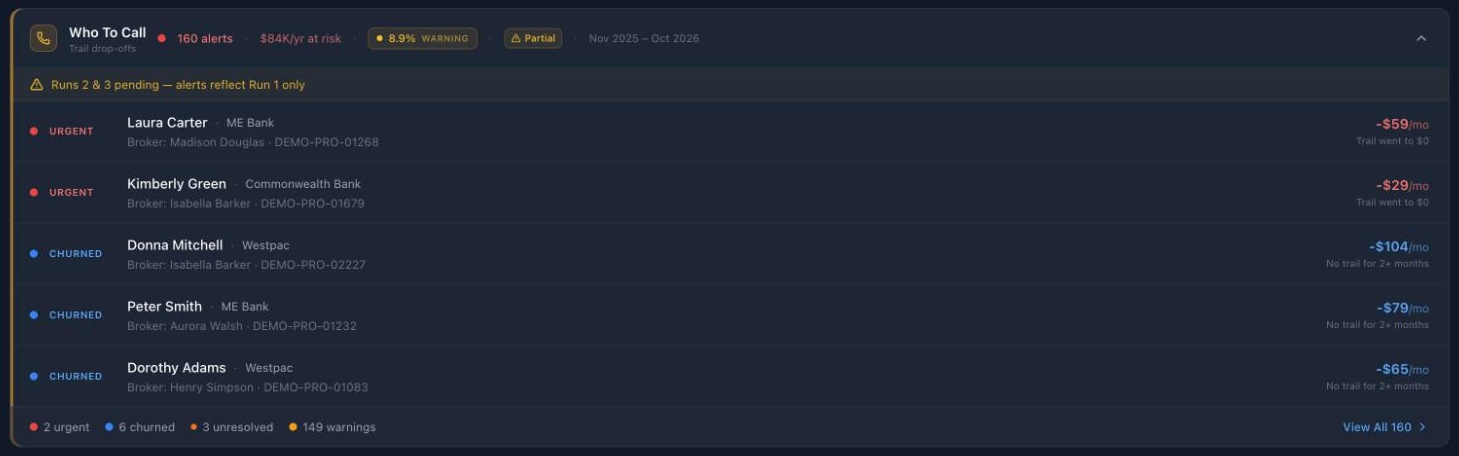
Who To Call on the dashboard. Demo workspace with sample data.
Every drop, loan by loan.
The full list shows this month's trail against last month's for each loan, with the variance, lender and broker. Filter by month or alert type and work through it.
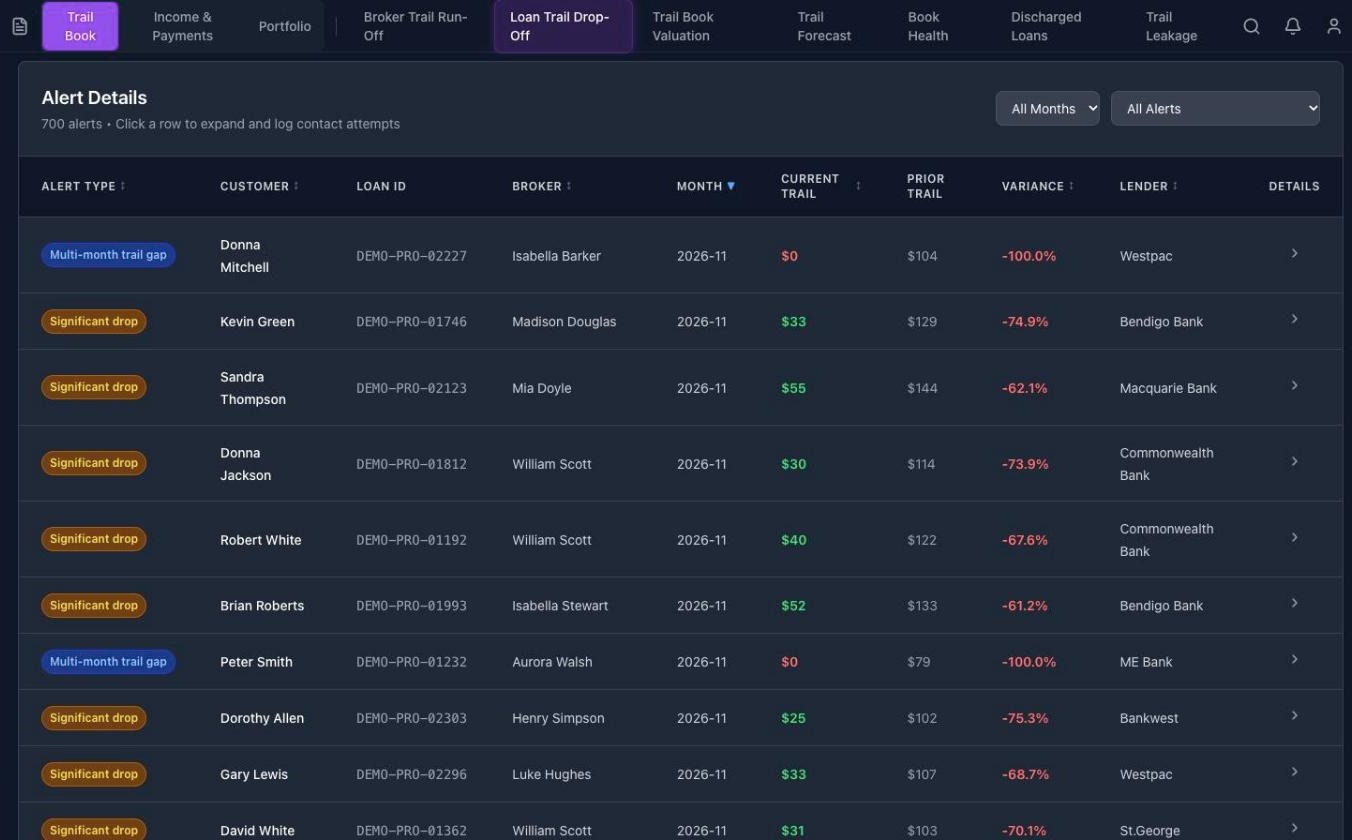
The loan trail drop-off report. Demo workspace with sample data.
Record the call where the alert is.
Open an alert and log the contact attempt. The history stays with the client across your reports, so the next person knows what has already been said.
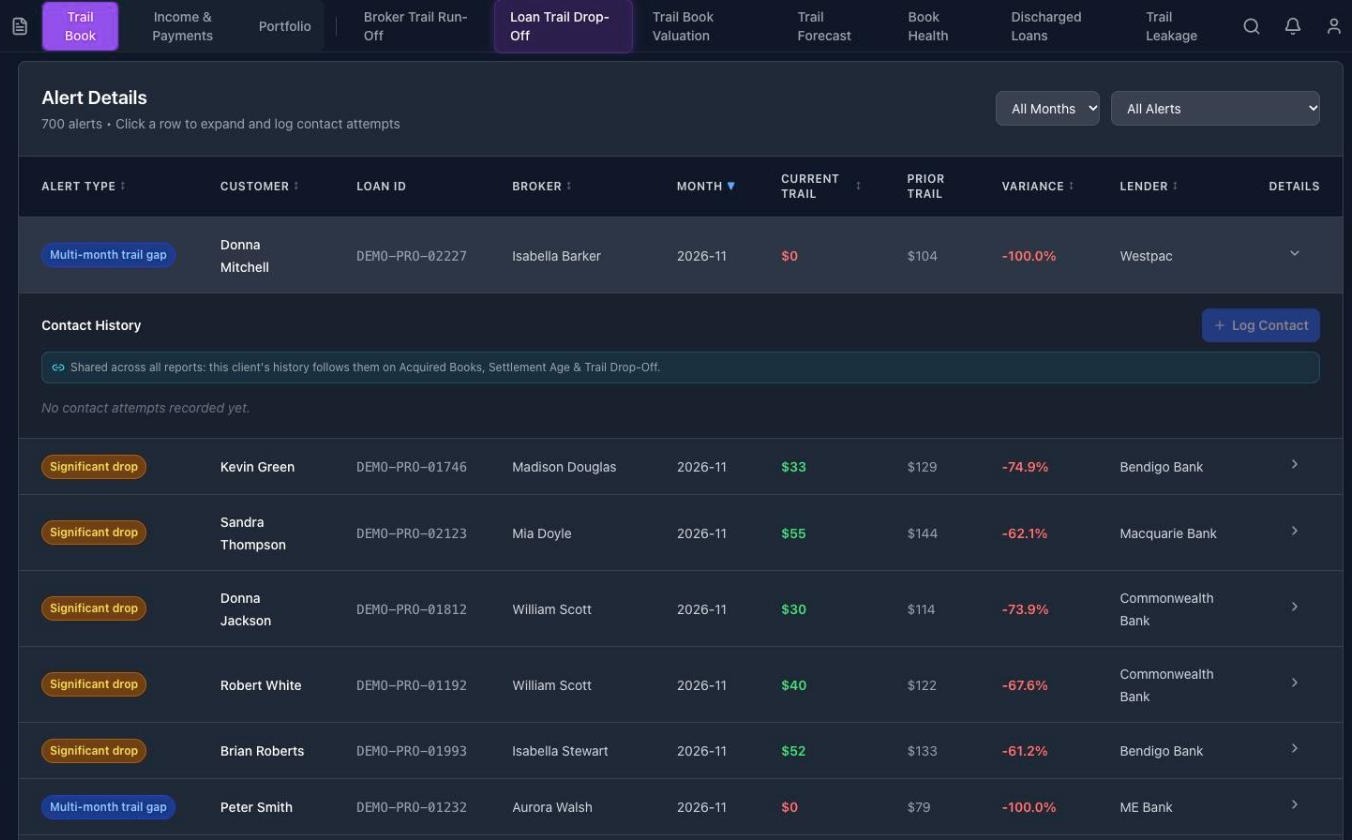
Contact history on an alert. Demo workspace with sample data.
See how many left, and what it cost.
Discharged loans are counted and valued, with the refinance rate and the trail you stand to forgo each year. Categorise why each client left as you learn it.
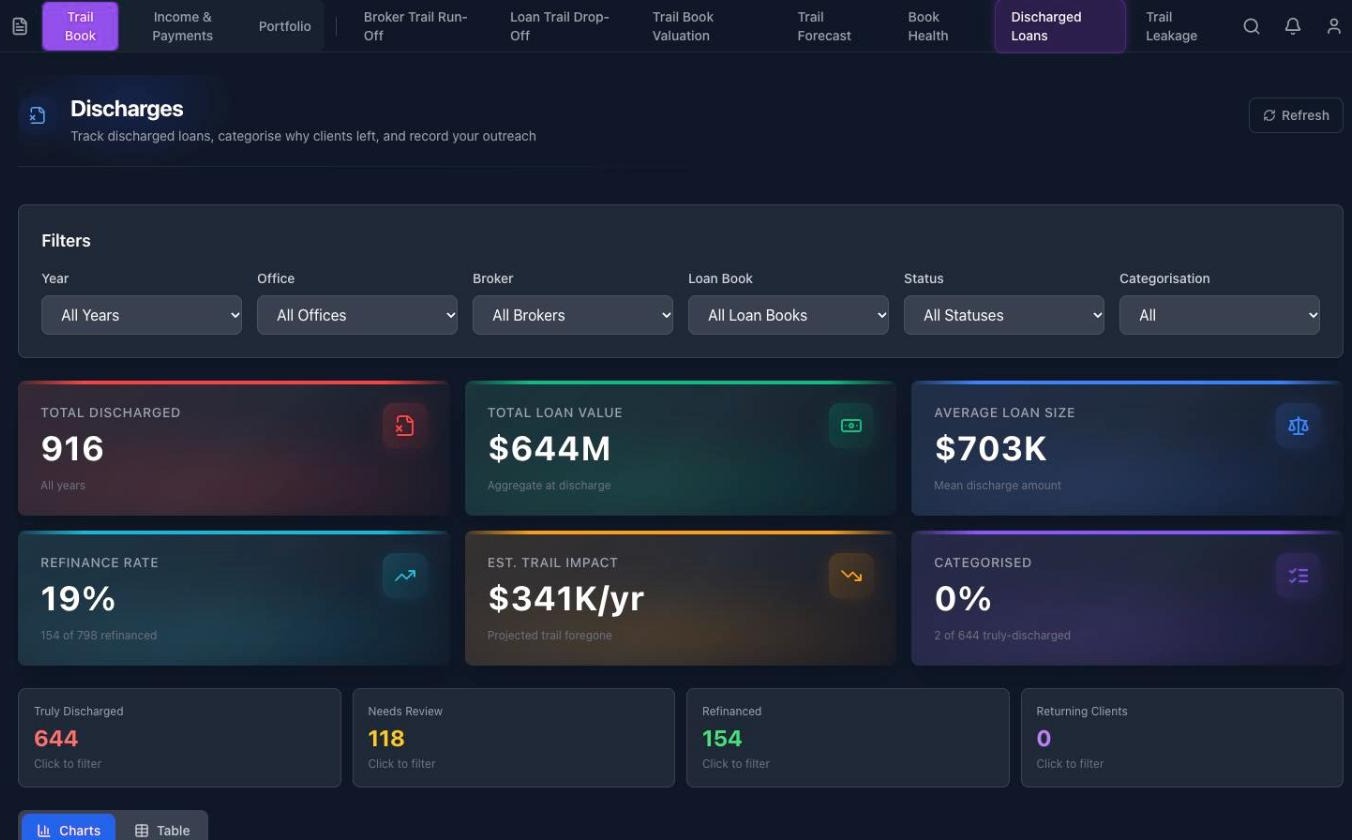
The discharges report. Demo workspace with sample data.
Questions about trail drop-offs
What is a trail drop-off?
A trail drop-off is a loan whose trail commission has fallen or stopped compared with the month before. It often means the loan has been refinanced, discharged or paid down.
How does VALUTTEN find trail drop-offs?
VALUTTEN reads the commission statements your aggregator sends to your connected Google Workspace or Microsoft 365 mailbox and places each payment on its loan. It then sets this month's trail against last month's for every loan and flags the ones that dropped or stopped.
What does Who To Call show?
Who To Call opens on your dashboard. Loans whose trail went to zero come first, then clients with no trail for two months or more, each with the client, lender, broker and monthly trail involved.
Can my team record a call against an alert?
Yes. Open an alert and log the contact attempt. The history stays with the client across your reports, so the next person knows what has already been said.