Every commission run, accounted for.
Upfront, trail and clawbacks by month, office and run, read from the statements your aggregator already sends you.
Month by month, office by office.
One table carries upfront, trail, loan book, lines of trail, clawbacks and settlements for every month. Open a month to see each office underneath it.
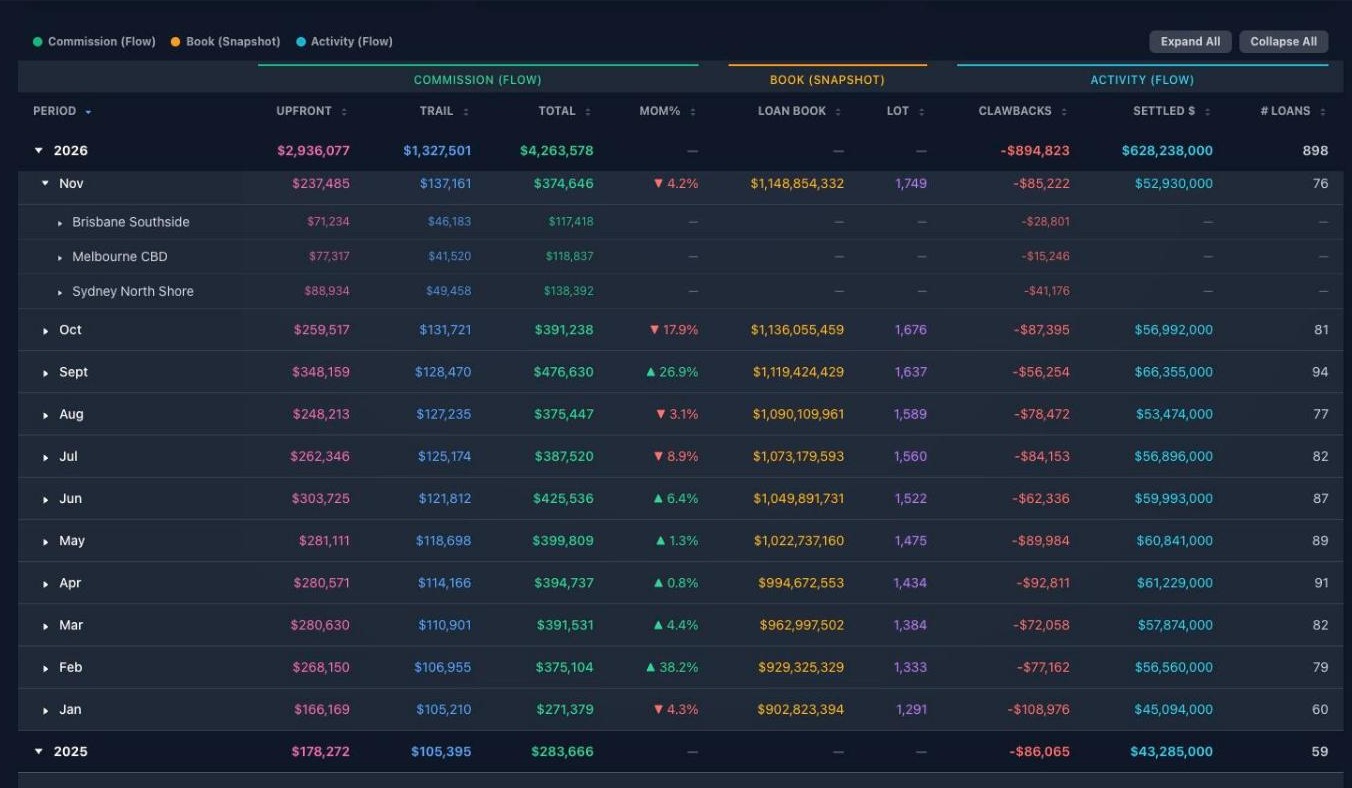
The dashboard in table view. Demo workspace with sample data.
Each run, by payment type.
RCTI cashflow breaks the year into commission runs, with upfront, trail, deductions and aggregator charges shown separately, so you can see what each run paid.
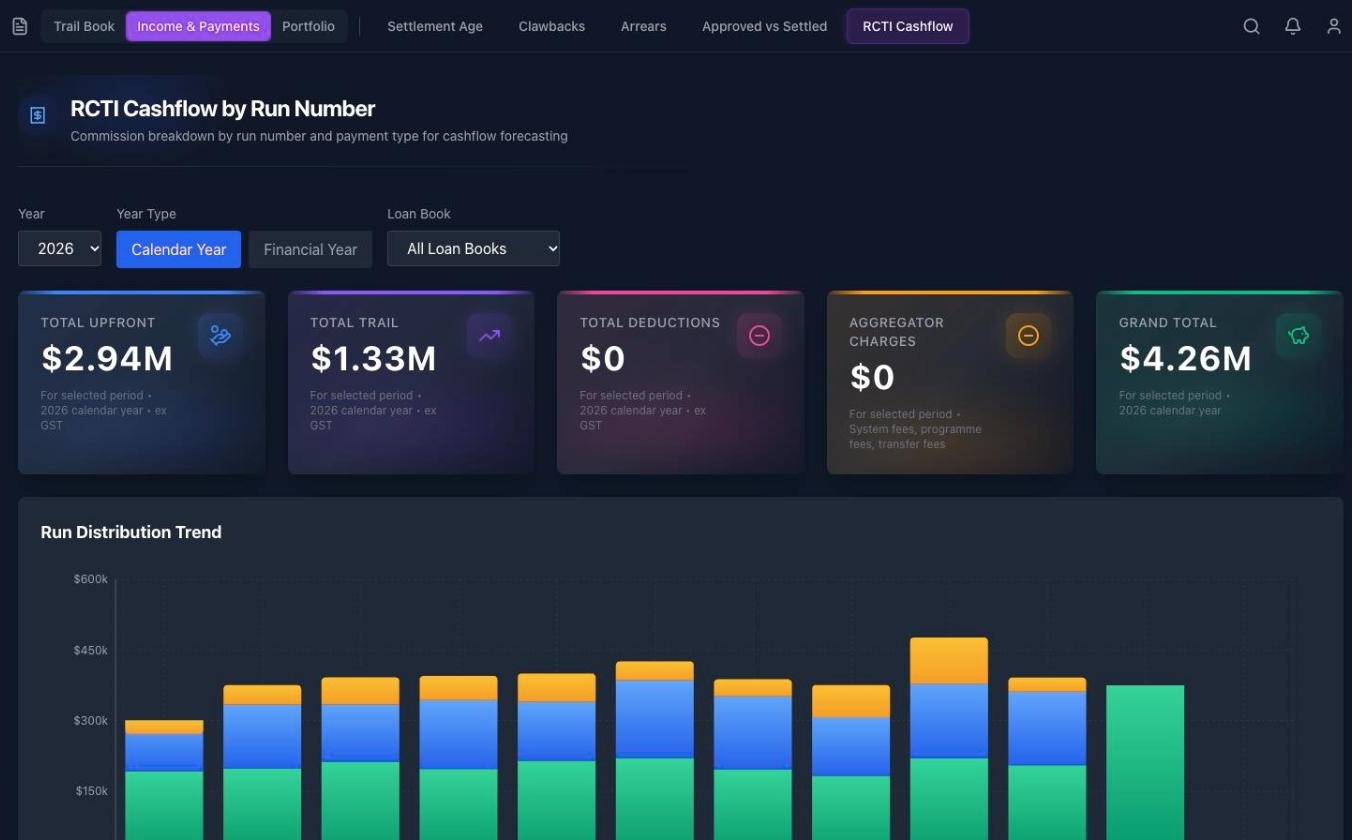
The RCTI cashflow report. Demo workspace with sample data.
Calendar year or financial year.
The monthly breakdown switches between calendar year, financial year and all time, across every loan book or one at a time.
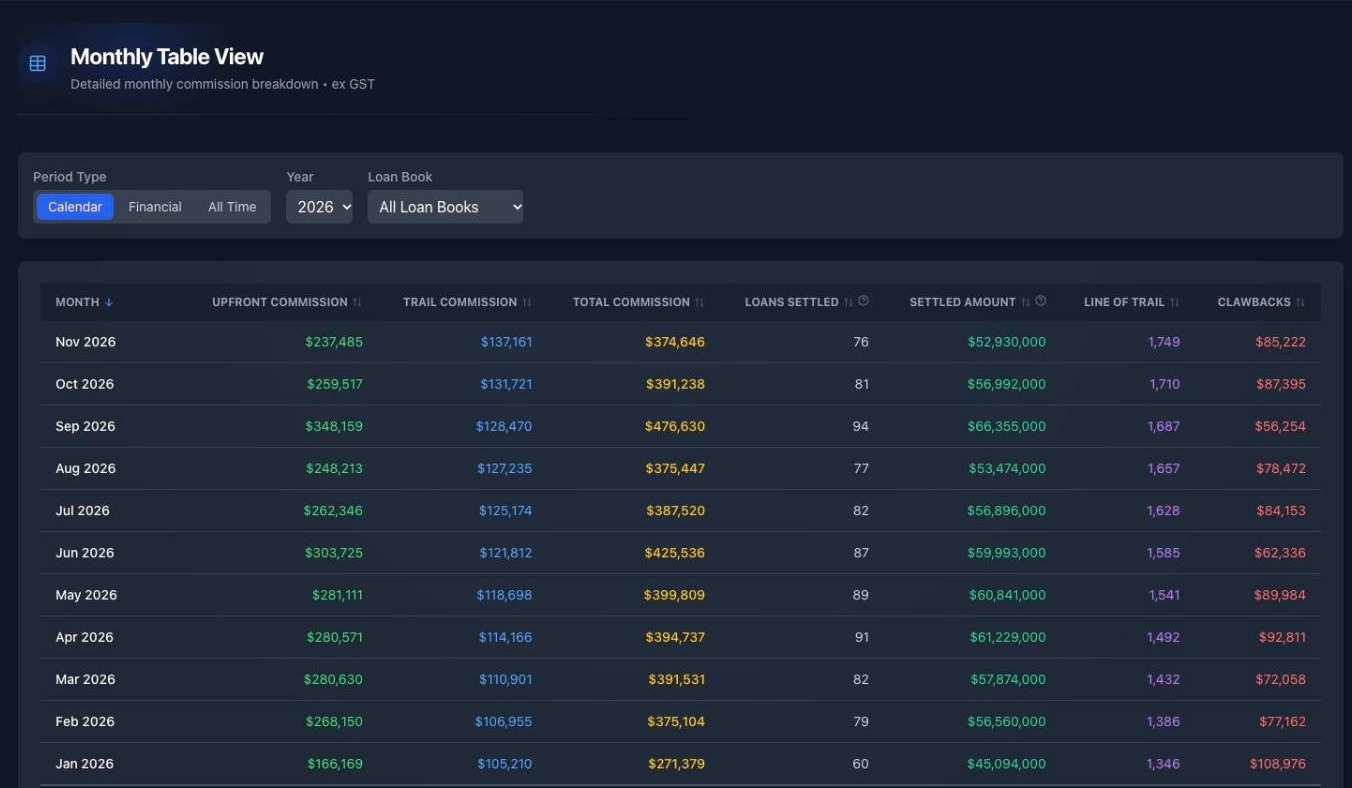
The monthly commission breakdown. Demo workspace with sample data.
Questions about commission reconciliation
How does VALUTTEN get my commission data?
You connect your Google Workspace or Microsoft 365 mailbox. VALUTTEN reads the commission statements your aggregator sends there, as spreadsheets and PDFs, and places each payment on its loan. It does not connect to your aggregator directly.
What does the commission table show?
One table carries upfront, trail, loan book, lines of trail, clawbacks and settlements for every month. Open a month to see each office underneath it.
Can I see what each commission run paid?
Yes. RCTI cashflow breaks the year into commission runs, with upfront, trail, deductions and aggregator charges shown separately.
Can I report by financial year?
Yes. The monthly breakdown switches between calendar year, financial year and all time, across every loan book or one at a time.